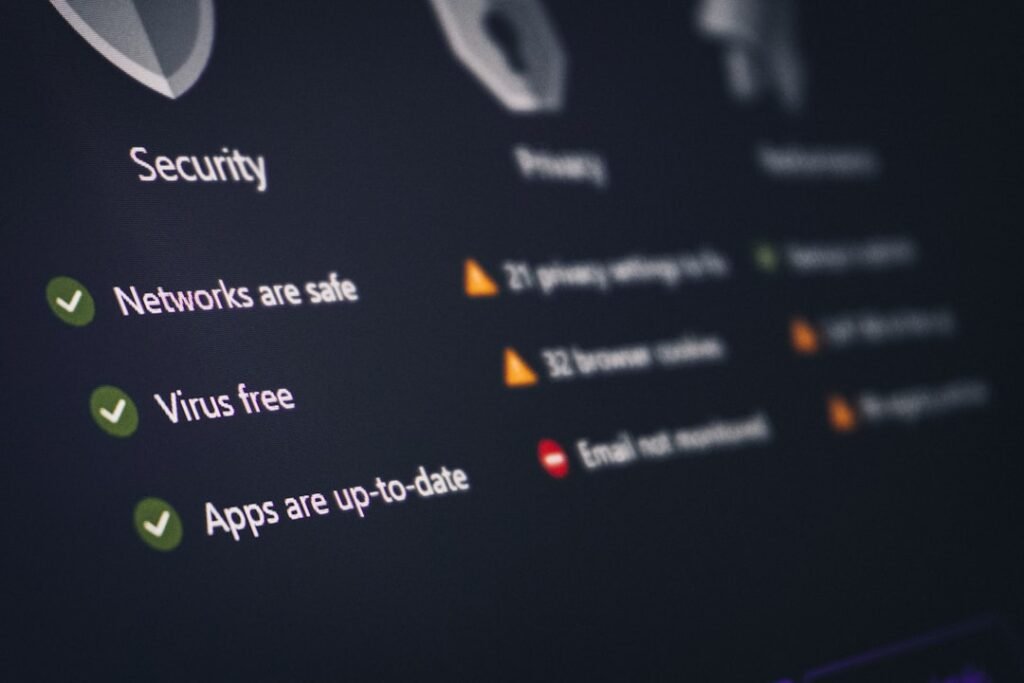

Browsing the web safely in 2026 requires more than just basic antivirus software; it demands proactive, browser-level defense. In this comprehensive guide, you will learn how to secure your browser using the best Security Chrome Extention tools available today, protecting your sensitive data from evolving phishing attacks, malicious scripts, and invasive tracking. We evaluate these tools based on their performance impact, privacy policies, and compatibility with modern browser architectures. By the end of this analysis, you will know exactly which extensions to install to safeguard your digital footprint without slowing down your daily workflow.
- Prioritize Manifest V3 Compliance: Ensure any extension you install is built on Chrome’s latest architecture to maintain optimal browser performance and system security.
- Layer Your Defenses: Combine a robust content blocker with a verified credential manager and an active script controller for multi-layered protection.
- Minimize Permissions: Regularly audit your extensions and restrict their access to “On Click” or specific sites to prevent background data harvesting.
Why Does Your Browser Need Dedicated Security Extensions in 2026?
The web browser has become the primary operating system for our digital lives. From managing bank accounts to accessing corporate networks, nearly all sensitive transactions occur within a browser window. Consequently, cybercriminals have shifted their focus away from traditional desktop malware toward browser-targeted exploits.
Modern threats are highly sophisticated, often bypassing traditional firewalls and operating system security layers. Session hijacking, where malicious actors steal active session cookies to bypass multi-factor authentication, is on the rise. Similarly, drive-by downloads and cross-site scripting (XSS) can compromise your system simply by your visiting an infected, yet seemingly legitimate, website.
Relying solely on built-in browser settings is no longer sufficient to counter these threats. Specialized security extensions act as an active, real-time shield, analyzing incoming web traffic, blocking malicious scripts before they execute, and preventing unauthorized data exfiltration. By installing the best Security Chrome Extention tailored to your workflow, you create a robust perimeter defense directly at the point of entry.
Understanding Chrome’s Manifest V3 and Its Impact on Security
To address systemic vulnerabilities in the extension ecosystem, Google introduced the Manifest V3 framework, which fundamentally changes how extensions interact with your browser. According to the Google Chrome developer security guidelines, restricting broad API access prevents malicious extensions from silently monitoring user traffic or executing remote code.
Under the older Manifest V2 framework, extensions could intercept and modify any network request, creating a massive security risk if an extension was hijacked or sold to a malicious actor. Manifest V3 replaces the permissive webRequest API with the declarativeNetRequest API. This shift means the browser itself handles the blocking and filtering of network requests, keeping your browsing history private from the extensions themselves.
When searching for the best Security Chrome Extention in 2026, compatibility with Manifest V3 is non-negotiable. Legacy extensions that have not migrated to this framework may suffer from degraded performance, lack of updates, or outright deprecation. Choosing modern, compliant tools ensures your browser remains fast, stable, and secure against newly discovered exploits.
The Best Security Chrome Extension Options for Comprehensive Protection
Achieving complete browser security requires a multi-layered approach. No single tool can protect against every vector of attack, which is why we recommend combining top-tier extensions from three distinct categories: content blocking, credential management, and active threat mitigation.
1. Advanced Content Blockers: Preventing Malicious Scripts and Trackers
Content blockers do far more than simply hide annoying advertisements; they serve as your first line of defense against malvertising. Malvertising involves injecting malicious scripts into legitimate ad networks, allowing attackers to exploit browser vulnerabilities even on highly trusted websites. By blocking these ad networks entirely, you eliminate a major vector for drive-by downloads.
The premier choice in this category is uBlock Origin Lite, which has been rebuilt from the ground up to comply with Manifest V3. It offers exceptional filtering capabilities without consuming excessive system memory. By blocking tracking domains, analytics scripts, and known malware hosts, it significantly reduces your browser’s attack surface while improving page load speeds.
Another excellent option is Ghostery, which focuses heavily on privacy and tracker blocking. Ghostery provides users with detailed breakdowns of the scripts running on each page, allowing you to customize your blocking preferences. This level of granular control is essential for users who want to understand exactly who is attempting to track their online behavior.
2. Password Managers: Defending Credentials at the Point of Entry
Credential theft via phishing remains one of the most successful cyberattack methods. Modern phishing sites are incredibly convincing, often replicating the login portals of major financial institutions or work platforms down to the pixel. This is where a dedicated browser-based password manager becomes an invaluable security asset.
Bitwarden is widely recognized as a top security tool due to its open-source codebase and zero-knowledge encryption architecture. The Bitwarden Chrome extension securely stores your passwords, credit card details, and secure notes. Crucially, it protects against phishing by refusing to autofill credentials on a website unless the domain matches the saved record exactly, rendering look-alike domains harmless.
1Password offers a similarly robust browser extension that integrates seamlessly with your operating system’s biometric authentication. It includes a feature called “Watchtower,” which alerts you to compromised passwords, weak credentials, and websites that do not support two-factor authentication. Using these extensions ensures you never have to reuse passwords across multiple services, dramatically reducing the impact of third-party data breaches.
3. Active Threat Mitigation and Anti-Phishing Tools
While content blockers and password managers handle background defense, active threat mitigation extensions monitor your real-time interactions with the web. These tools analyze page behavior, check URLs against live threat intelligence databases, and block malicious scripts from executing in the background.
Malwarebytes Browser Guard is a highly effective extension that targets tech support scams, cryptojackers, and unsafe links. It uses heuristic analysis to identify suspicious page behaviors, blocking zero-day threats that have not yet been added to global blacklists. This proactive defense is especially useful for users who frequently navigate unfamiliar parts of the web.
For developers and advanced users, NoScript offers the ultimate level of security by disabling JavaScript, Java, Flash, and other executable content on untrusted sites. While this can occasionally break page layouts, it provides absolute protection against cross-site scripting and clickjacking attacks. Users can easily whitelist trusted domains with a single click, balancing security with usability.
Data and Evidence: The Reality of Extension-Based Vulnerabilities
Cybersecurity research underscores the critical importance of vetting the extensions you install. In recent analysis of web store security, automated scanning tools detected thousands of extensions containing malicious payloads or excessive permission requests. These rogue extensions often masquerade as harmless utilities, such as PDF converters or custom cursors, only to activate malicious behaviors weeks after installation.
Furthermore, a common tactic among malicious actors is purchasing popular, legitimate extensions from independent developers. Once the acquisition is complete, the new owners push a silent update containing adware or data-harvesting scripts. Because the extension already has broad permissions granted by the user, the malicious update can harvest search queries, capture keystrokes, or redirect traffic to phishing sites without triggering immediate warnings.
This reality highlights why choosing open-source, verified, and actively maintained tools is essential. By relying on trusted developers who undergo rigorous third-party audits, you minimize the risk of your security tools turning against you. Always look for the “Featured” badge in the Chrome Web Store, which indicates adherence to high technical and safety standards.
How to Audit and Manage Your Installed Extension Permissions
Securing your browser does not stop at installing the right tools; you must also actively manage the permissions granted to those tools. Over-privileged extensions represent a significant vulnerability, but Chrome provides robust settings to limit their access.
To begin auditing your browser, navigate to the extensions management page by typing chrome://extensions/ into your address bar. Click on the “Details” button for each installed extension to review its permissions. Pay close attention to the “Site access” settings, which determine which web pages the extension can read and modify.
Whenever possible, change the site access setting from “On all sites” to “On click” or “On specific sites.” For example, a password manager only needs access to pages where you log in, while a shopping assistant only needs access to e-commerce platforms. Restricting these permissions ensures that even if an extension is compromised, the attacker cannot access your sensitive data on unrelated websites.
What Are the Common Risks of Installing Untrusted Extensions?
Installing an unverified extension can have severe consequences for both your personal privacy and your system’s integrity. The most common risk is data exfiltration, where an extension monitors your browsing activity, captures form inputs, and sends this data to remote servers. This can include personally identifiable information (PII), search histories, and financial details.
Search hijacking is another frequent issue, where a malicious extension redirects your default search engine to a rogue portal filled with low-quality, ad-heavy results. These portals often serve malicious links designed to infect your computer with ransomware or spyware. Additionally, some extensions abuse system resources to mine cryptocurrency in the background, causing your computer to run hot, sluggishly, and drain its battery rapidly.
Finally, untrusted extensions can perform man-in-the-middle (MitM) attacks by injecting advertisements or malicious scripts directly into the web pages you visit. This can lead to credential harvesting on legitimate banking or social media sites. By adhering to a strict policy of only installing essential, highly rated security extensions, you protect your system from these pervasive threats.
Securing your digital environment is an ongoing process that requires vigilance, smart habits, and the right tools. By selecting a highly rated, Manifest V3-compliant tool as your best Security Chrome Extention, you establish a resilient defense system directly within your primary workspace. Take five minutes today to audit your current extensions, remove those you no longer use, and install a trusted security layer to keep your personal data safe from the sophisticated threats of 2026.